
Your work at a glance
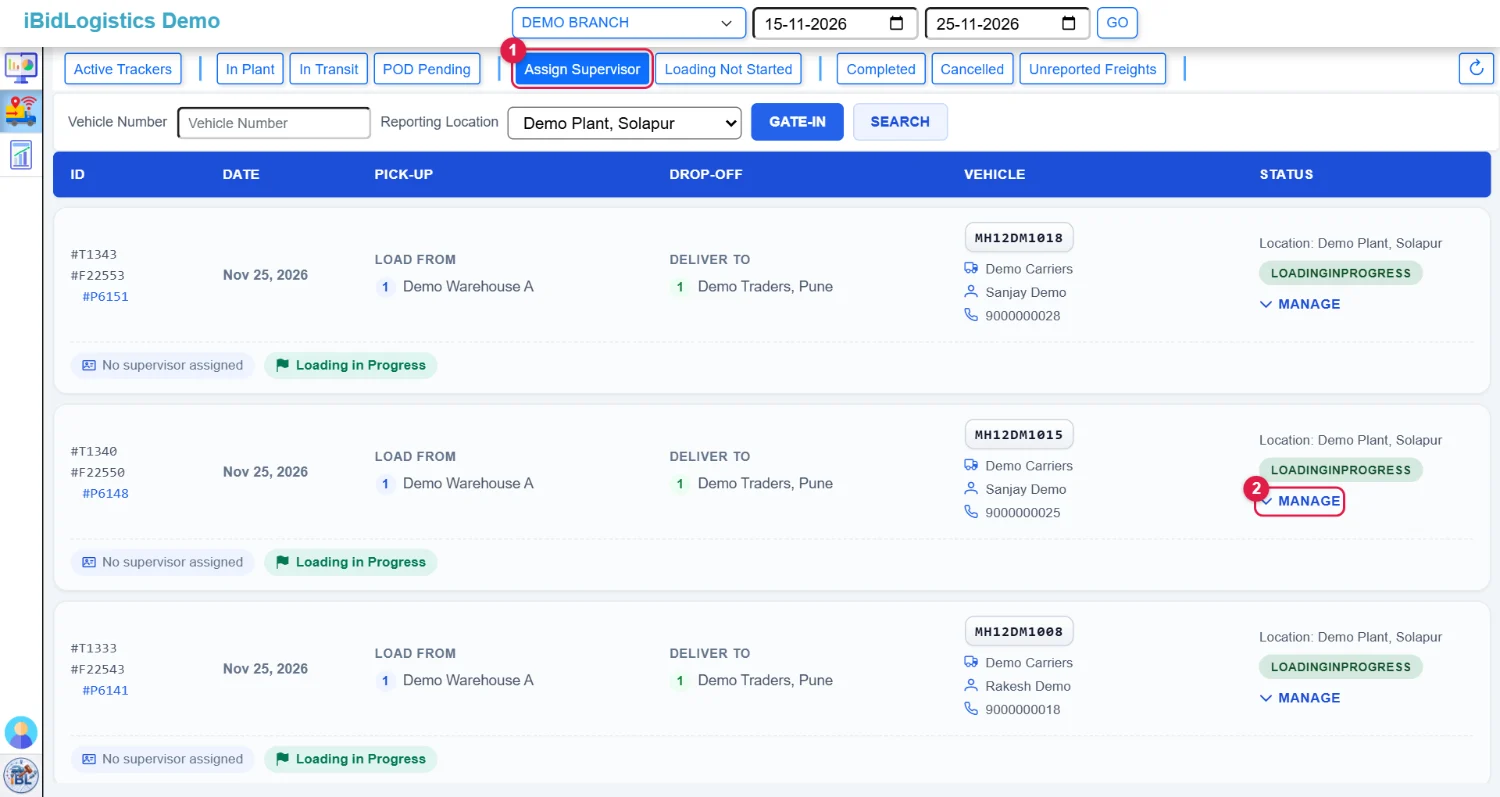
- Vehicle gated in: it appears under Assign Supervisor.
- Assign: choose the supervisor who will load it.
- Loading: the supervisor loads and sends the vehicle to the gate.
- Approve load: check the quantities and approve.
- After that: the vehicle is weighed, billed and gated out by others.
1. Sign in
- Open ibidlogistics.com/login on the computer, or the iBidLogistics app on the phone.
- Enter your registered mobile number and press Request OTP.
- Enter the OTP that comes by SMS and press Login.
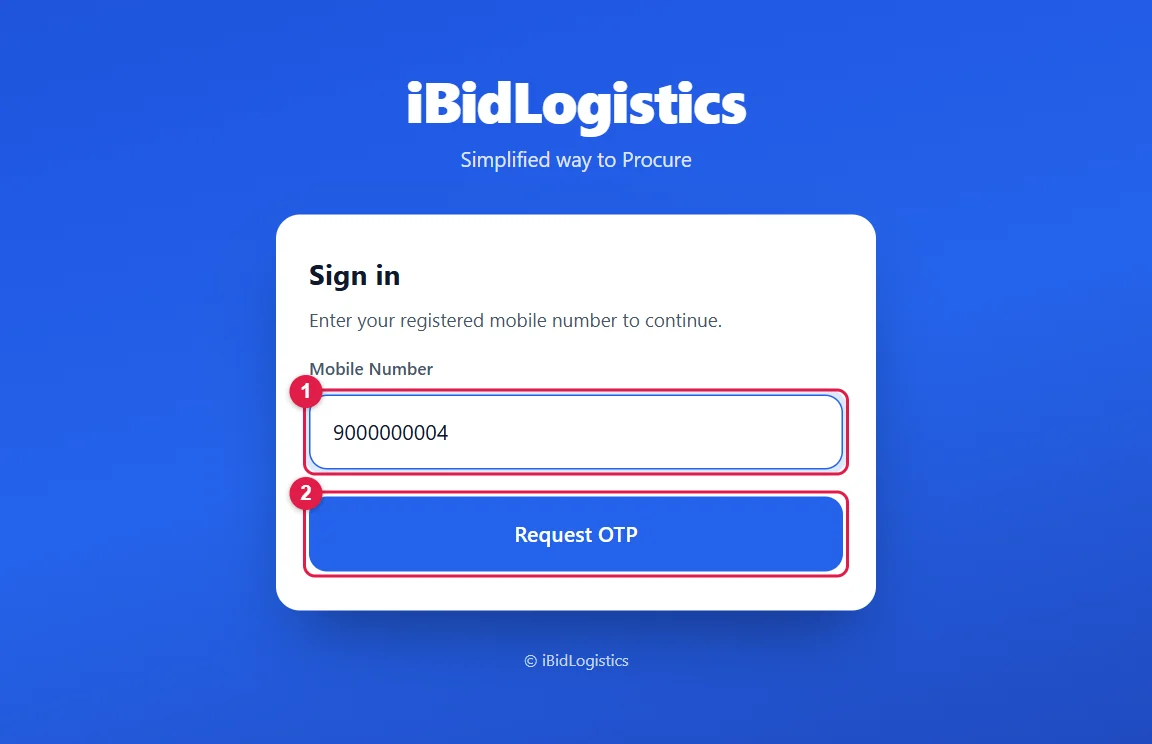
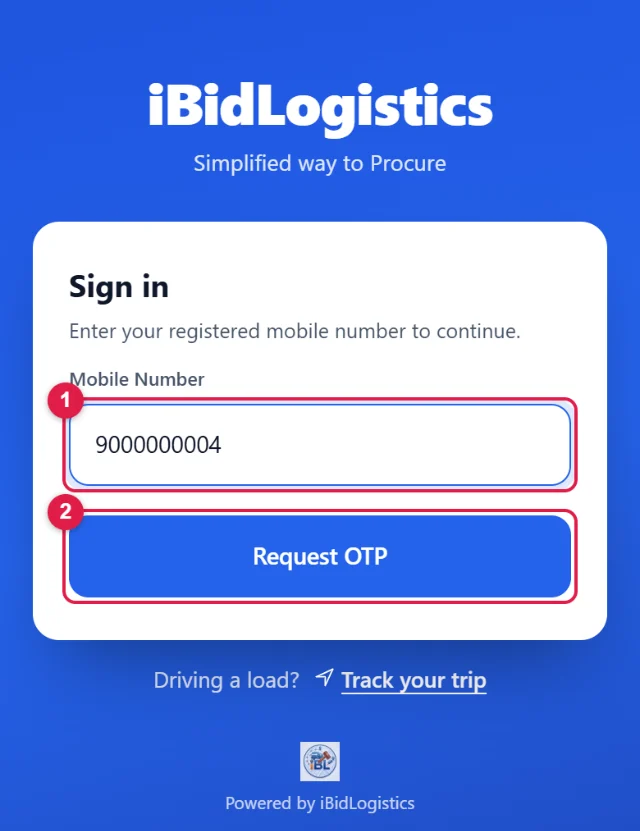
You stay signed in. Do not share your OTP with anyone.
2. Your screen
The website opens on Assign Supervisor: vehicles that are inside and have no supervisor yet.
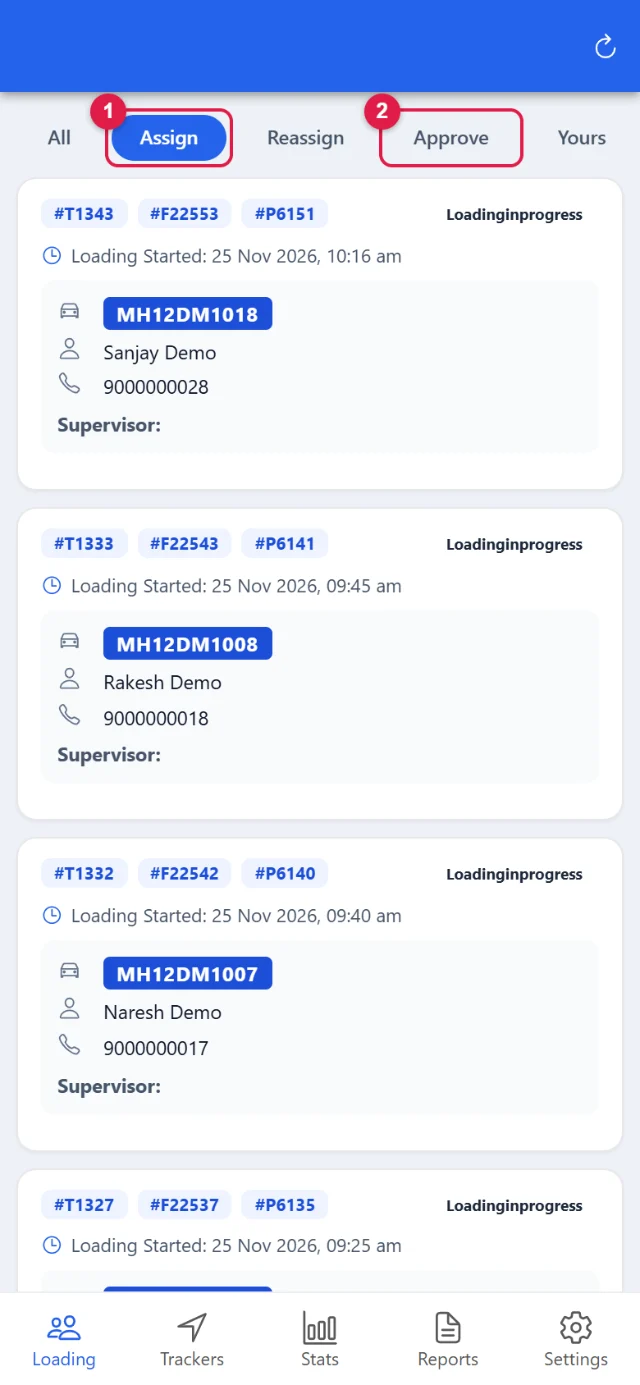
On the phone, open the Loading tab. Assign shows vehicles without a supervisor, Approve shows finished loads.
3. Assign a supervisor
- Press Manage on the vehicle, or tap its card on the phone.
- Choose the supervisor at the loading point.
- Press Assign. The vehicle appears on that supervisor's screen.
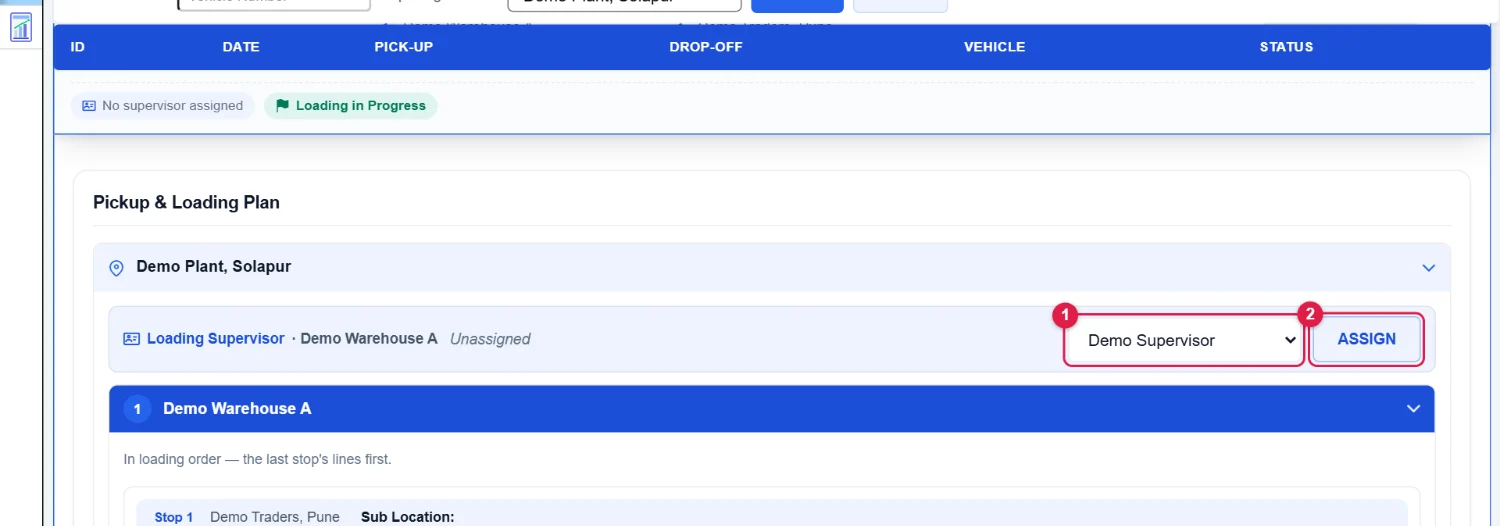
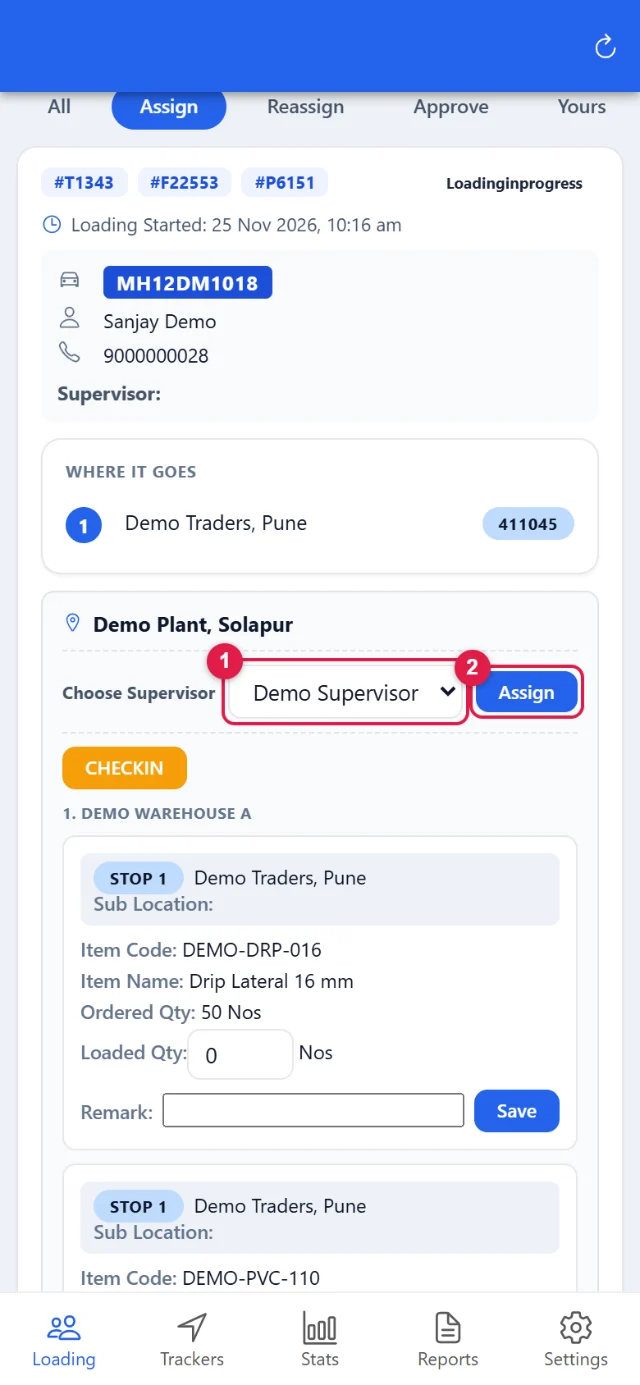
Busy elsewhere next to a name means that supervisor is loading another vehicle now.
4. Change the supervisor
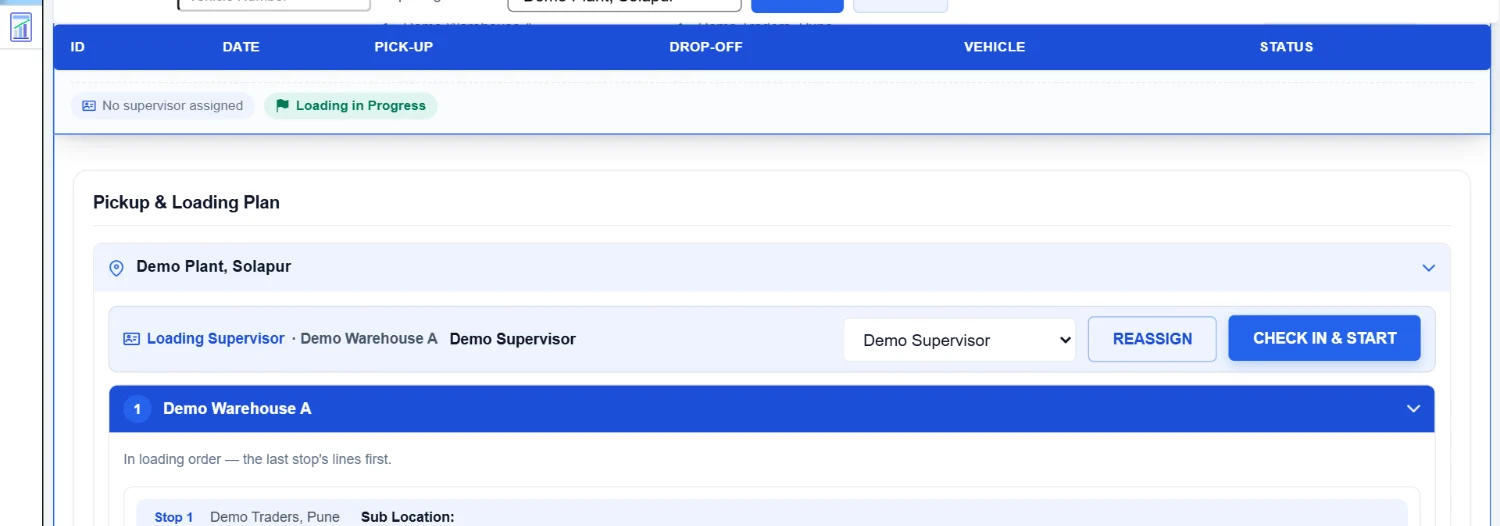
Open the vehicle, choose another name and press Reassign. You can also press Check In & Start and load it yourself.
5. Approve the load
- Open In Plant on the website, or Approve on the phone.
- Open the vehicle that is Loading Complete and compare the loaded quantities with the order.
- Press Approve load.
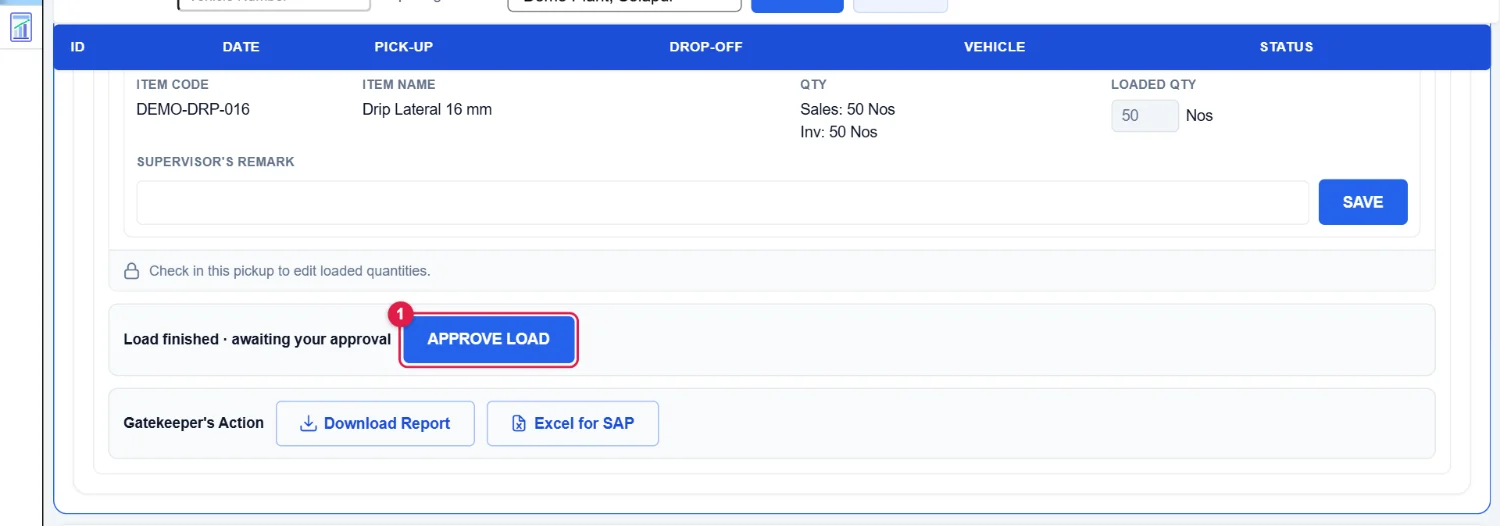
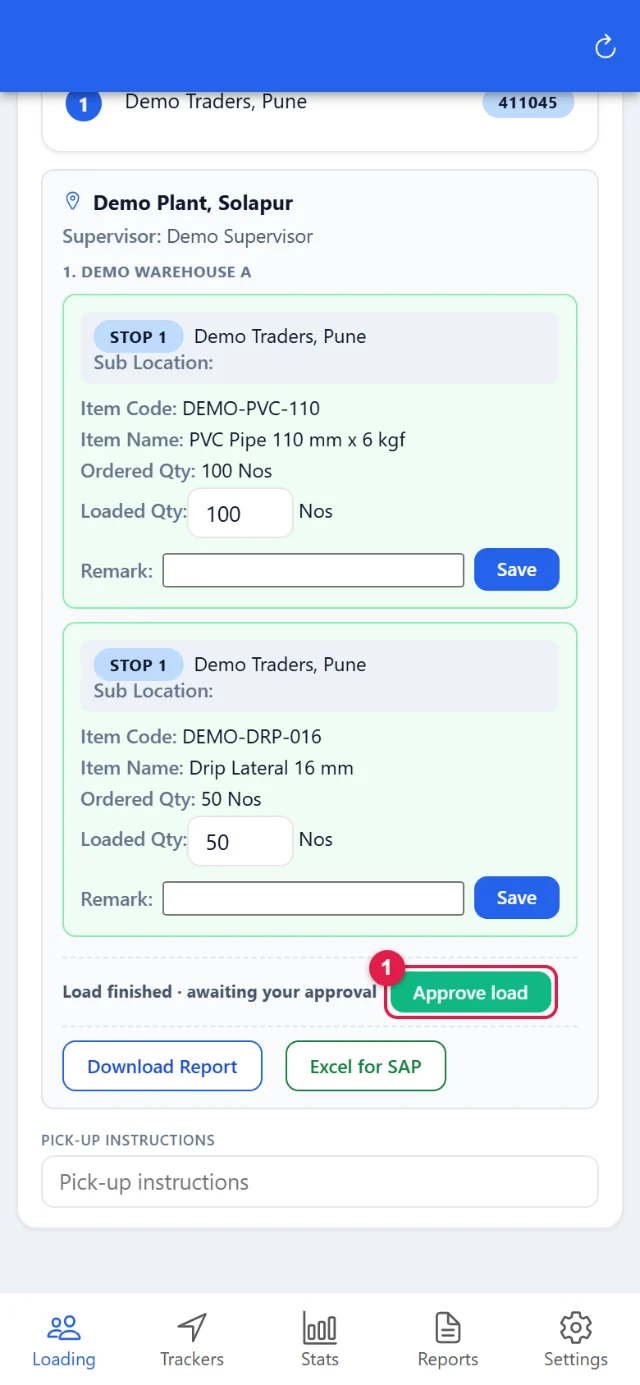
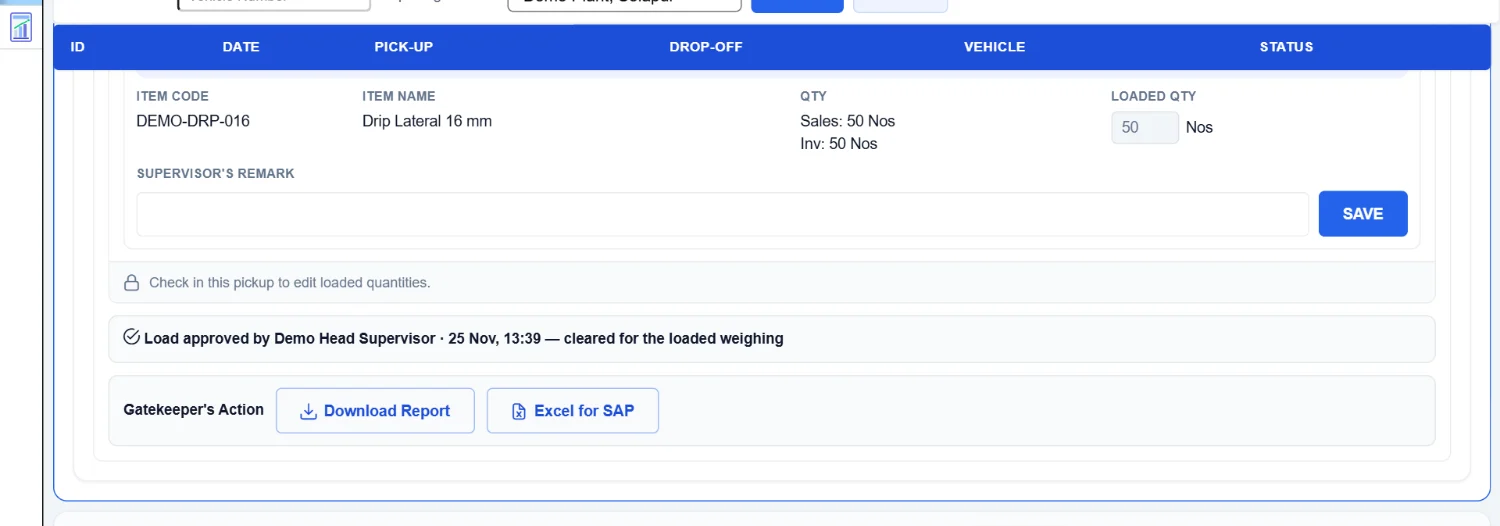
Until you approve, the loaded vehicle cannot be weighed, billed or gated out.
6. Dashboard and reports
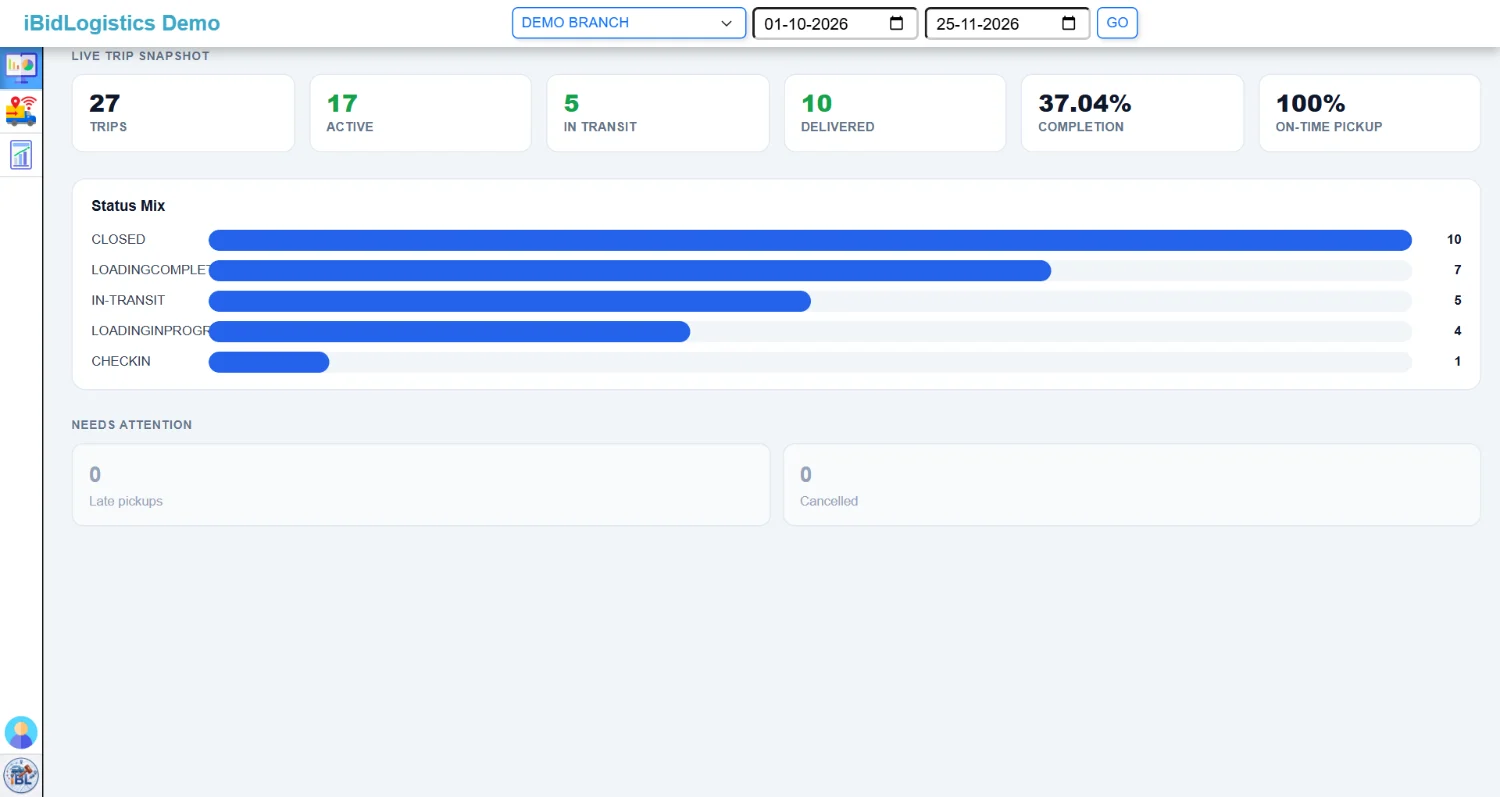
Dashboard shows how many trips are active, in transit and delivered. Reports has the trip, gate and weighbridge registers, with Excel and PDF.
7. Messages and what to do
| Message or problem | What to do |
|---|---|
| A supervisor is not in the list | Ask your Admin to set that person's plant under Works at. |
| Approve load does not appear | The supervisor has not pressed Proceed to Gate yet. |
| Number not registered | Your mobile number is not active. Ask your Admin. |
To sign out: Settings, then Log out.
Need help? Write to info@ibidlogistics.com