
Four roles, seeing only their own side of the same load
A shipper, a transporter and a consignee are all looking at one freight — but each sees a different slice of it, scoped to what they're allowed to act on. Nobody re-enters data the others already put in.
Shipping companies
Plan dispatches, put freight out to competitive bid, and see what it's actually costing across every branch.
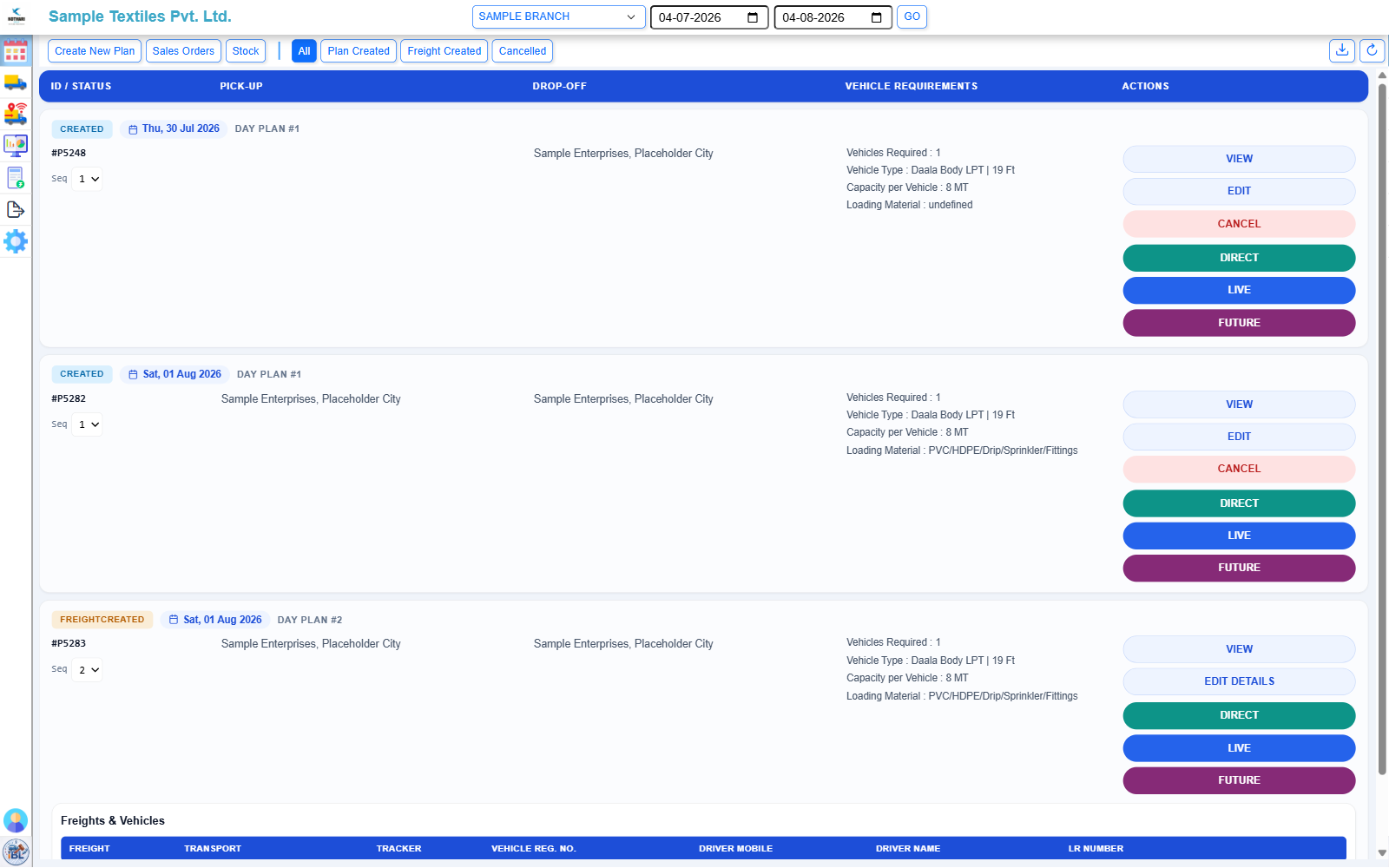
Dispatch planning
Multi-stop plans with drop-offs in visit order, outbound from your own locations, inbound from a supplier, or out-to-out where neither end is yours.
Competitive procurement
Run a reverse auction across the transporters you invite, or award directly when you already know who should carry it.
Branch & company oversight
Every plan and freight is scoped to a company branch, with role-based access for the users who work in it.
Spend visibility
Procurement, execution and transporter analytics on the same data the auctions ran on. See the analytics page →
Transporters
Bid on invited freight, run the fleet that carries it, and get paid for what you deliver.
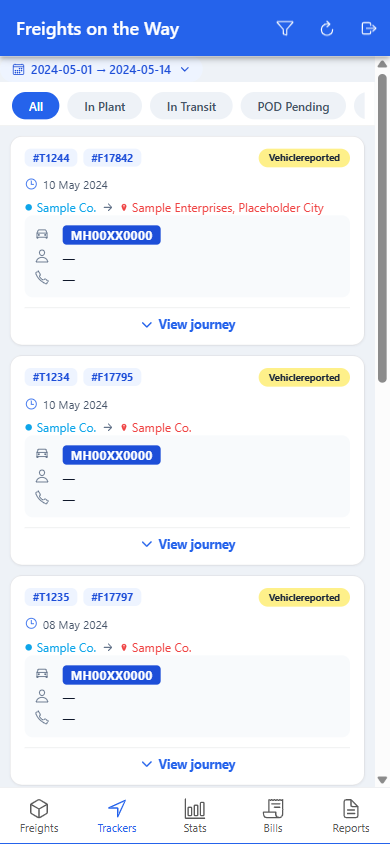
Bidding
See invited freight, place bids that must beat the current best, and respond to a direct counter-offer without waiting on the full auction.
Fleet & drivers
Vehicles and drivers on file with registration and licence verified against Vahan, ready to assign the moment a freight is won.
Trip execution
Move a trip through gate-in, loading, in transit and arrival from the driver's phone, with position and geofenced arrival reported automatically.
Invoicing
Raise an invoice against a completed trip and track it through to settlement.
Consignees
The party actually waiting for the delivery gets a view of their own, not a phone call to the shipper's dispatch desk.
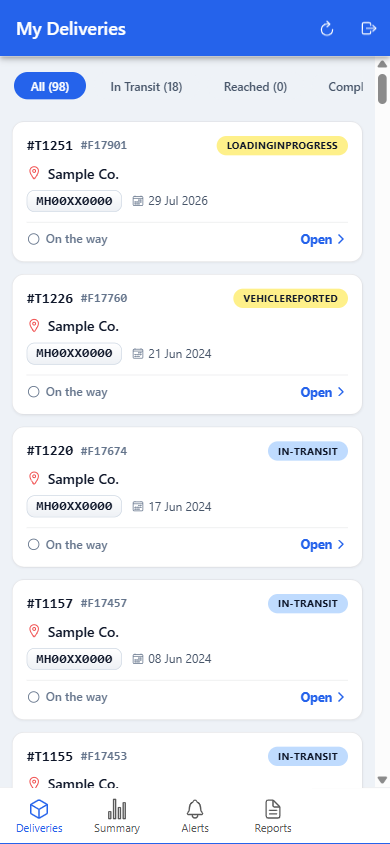
Delivery portal
See every inbound delivery addressed to you, without needing an account on the shipper's side of the system.
Live journey view
Follow the vehicle's progress toward you on the same tracking the transporter sees.
Proof of delivery
Confirm receipt and attach the signed proof against the stop, closing the loop on your own record.
Notifications
Hear about a delivery as its status changes, rather than checking in to find out.
Administrators
Someone on your side has to keep the users, branches, consignees and reference data the rest of the account runs on in order.
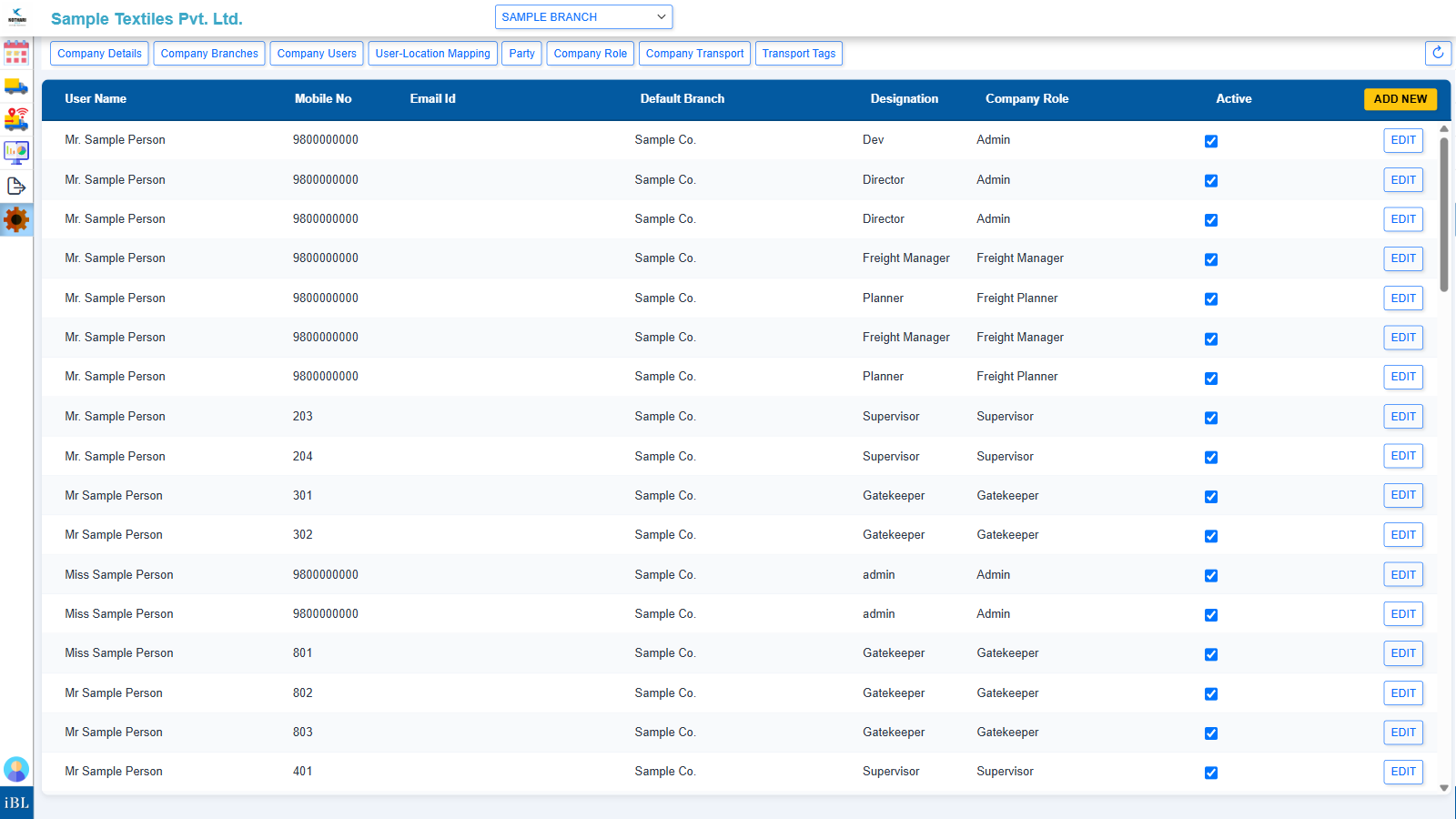
Onboarding
Bring new branches, users and transporters onto your account, each scoped to what they should see.
Master data
Vehicle types, products, roles and the reference data every plan and freight is built from.
User & role management
Add users under any of your branches and control what each role is allowed to do.
Company-wide oversight
A view across every branch you run, not just the one a given user works in.
Which of these is you?
Tell us your role and how you move freight today, and we'll show you that side of the platform.